Your family story

Anvaya

A warm, private family tree that listens like a storyteller — not a spreadsheet. Add your people chapter by chapter, explore the tree with a tap, and keep everything on your phone.

On your device only No account Story-first onboarding
Anvaya on phone — My tree screen with family bubbles

Why Anvaya

Built for real families

Sage & Clay design, gentle copy, and one clear next step — so your tree keeps growing without feeling like homework.

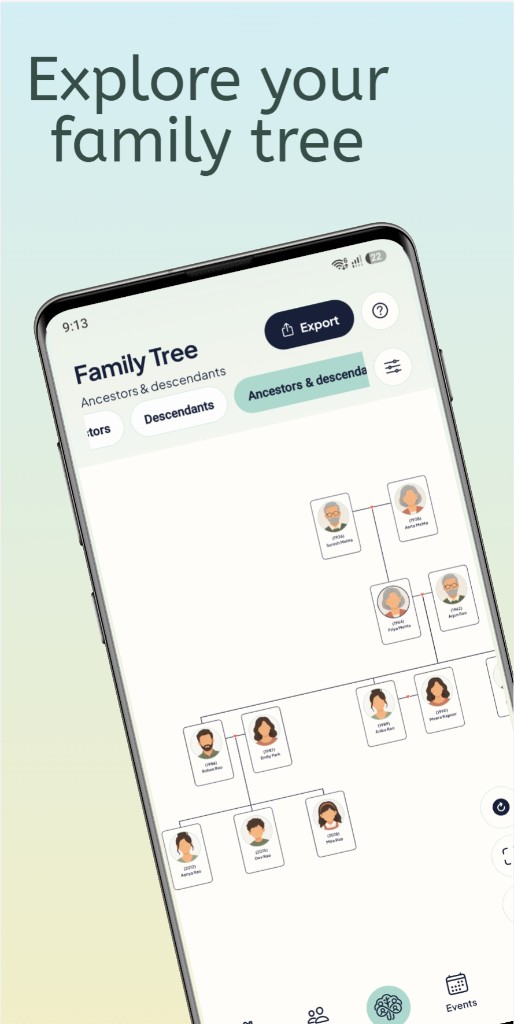
My tree

Pan, zoom, and tap to explore. Choose a view mode — close family, ancestors, free explore — and whose story the chart tells.

Story journey

Onboarding feels like chapters: you, your parents, optional wedding date — conversational prompts instead of cold forms.

Next chapters

Gentle suggestions — a missing photo, a parent to add, a cousin to link — so you always know what to do next.

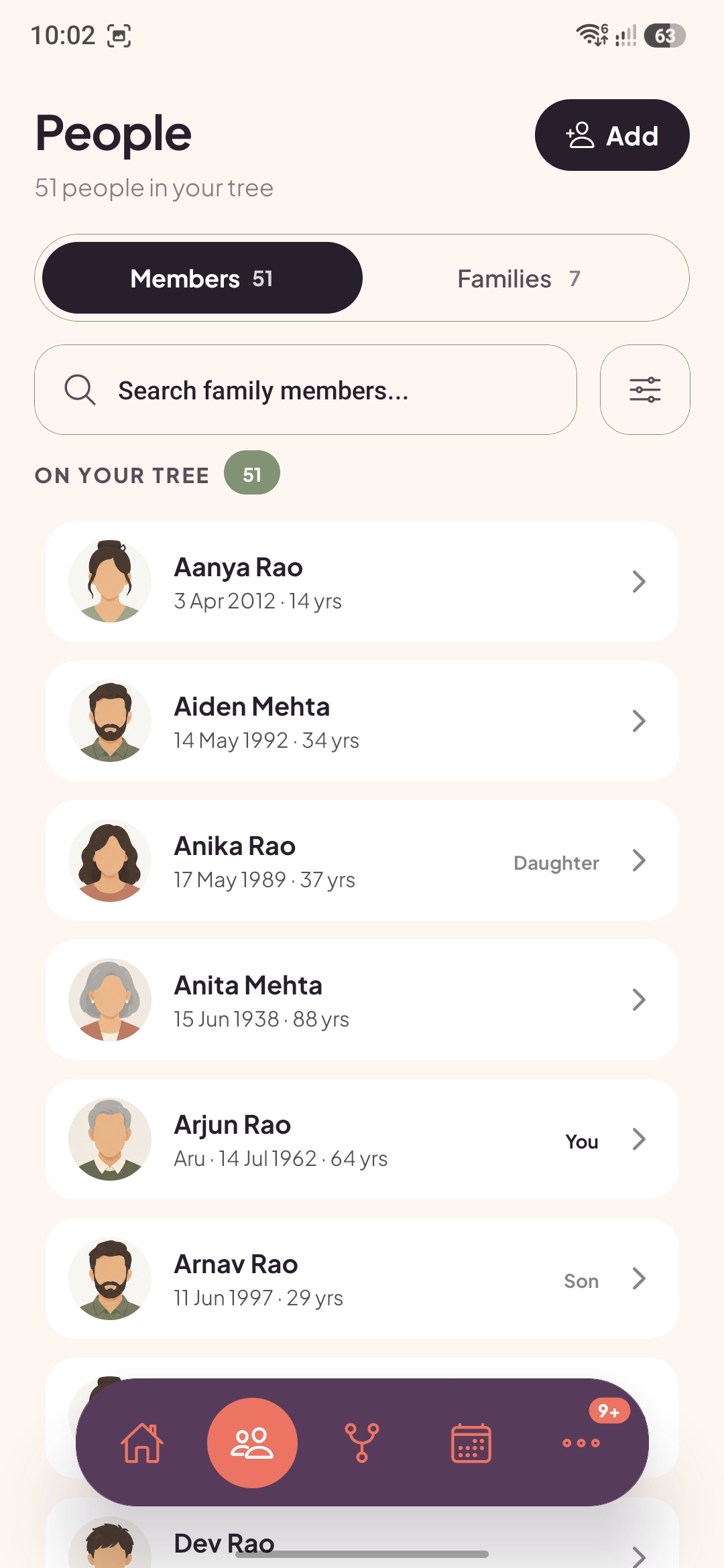
People

Search, filter, and open anyone in a simple list. Jump straight to them on the tree or edit their profile.

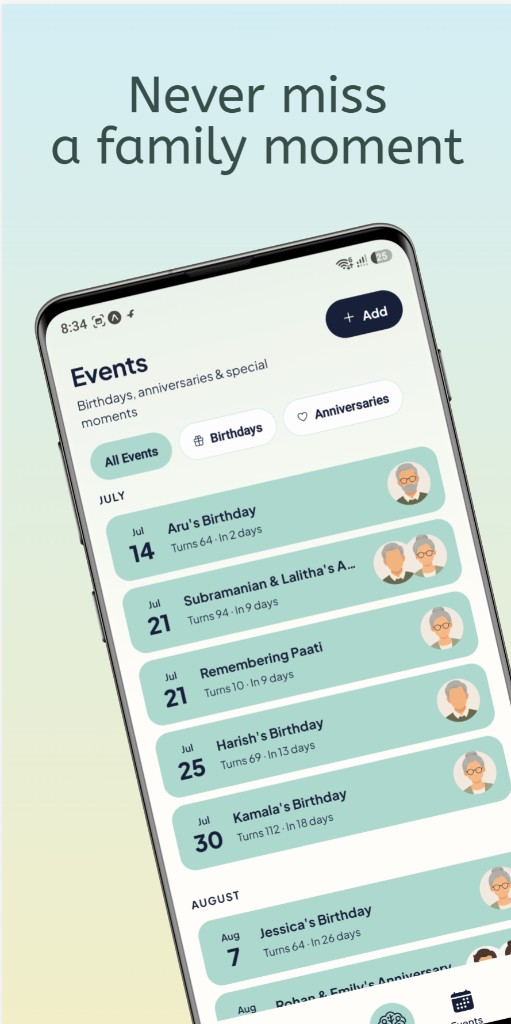
Family events

Birthdays, anniversaries, and remembrance days from dates you already saved — with optional local reminders.

Private by design

Your tree stays on this device. Export your own backup from More when you want a safety copy — Anvaya does not host your data online.

In the app

Five tabs. One growing story.

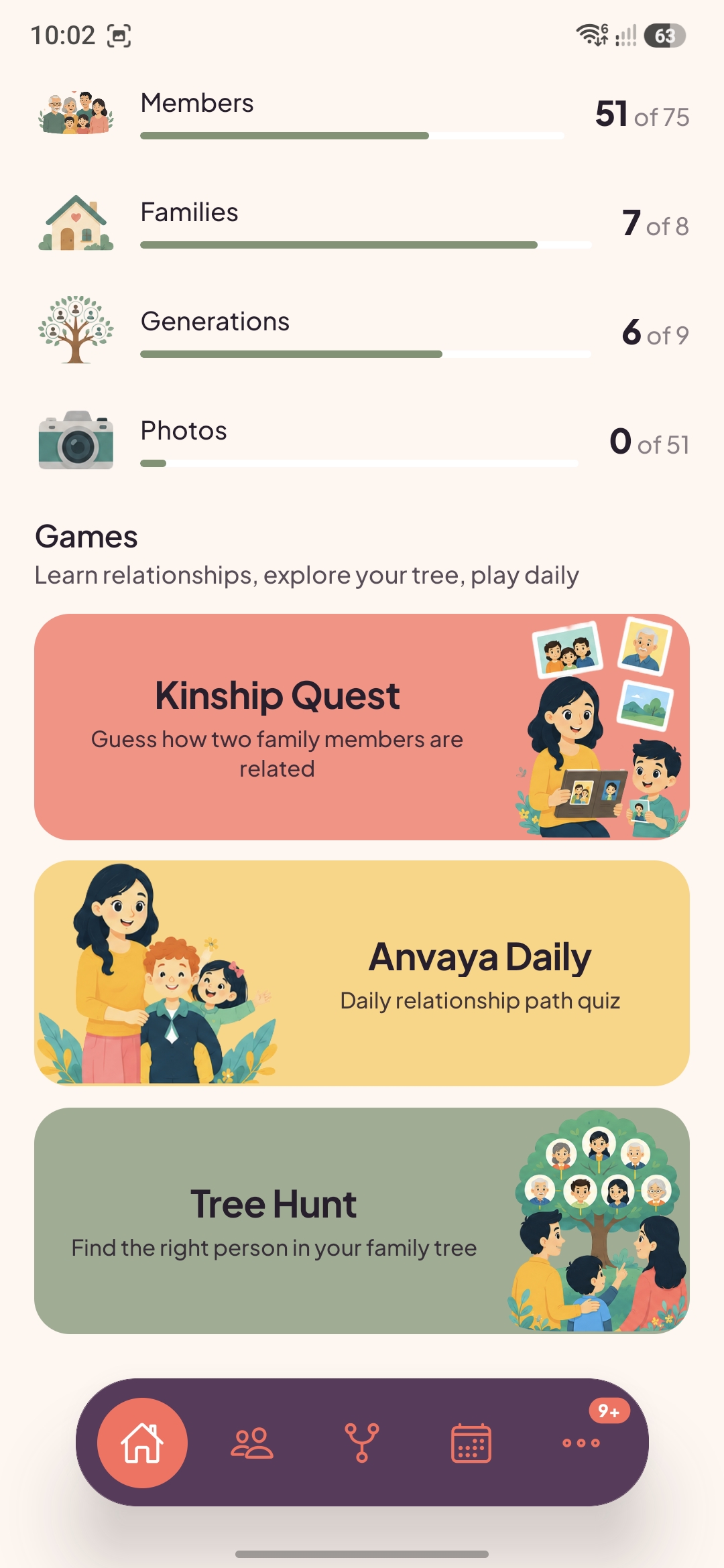
Home for the overview, People and My tree to explore, Events for what’s coming up, and More for backup, guides, and settings.

Home — your story at a glance People — everyone in one list Tree — explore & view modes Events — birthdays & more More — backup & help
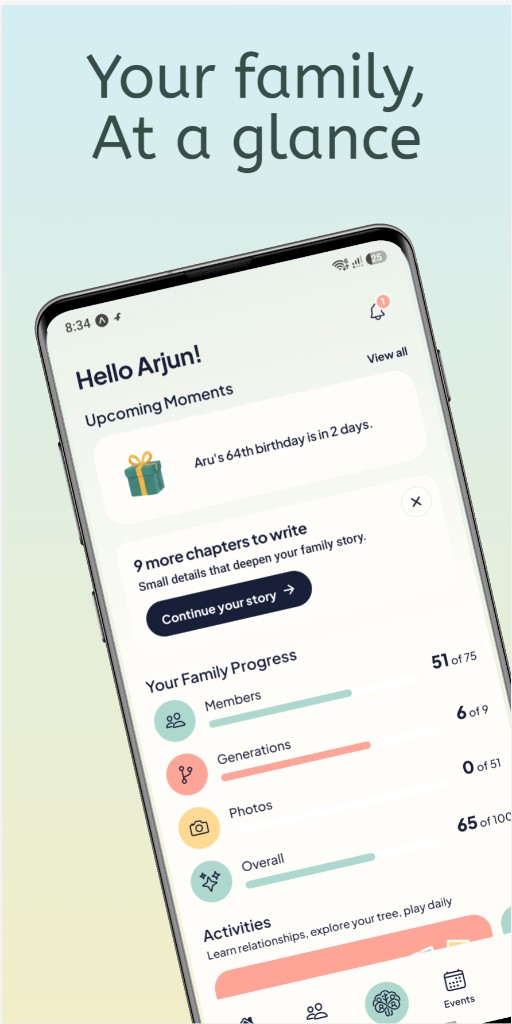
Anvaya — Home screen

Home

Stats, moments, and your next chapter.

Anvaya — My tree screen

My tree

Full-width canvas, select view mode, save as PDF.

Anvaya — Next chapters screen

Next chapters

Suggestions to deepen your story.

How it works

From first chapter to full tree

1

Tell your story

Start with you, then parents — optional steps, warm copy, no account required.

2

Grow branch by branch

Tap + beside anyone to add father, mother, partner, or child. Use Next chapters when you want a nudge.

3

Explore & remember

Pick a view mode, wander the tree, track events, and export a backup when you are ready.

Trust

Your tree stays yours

Anvaya keeps names, dates, photos, and relationships on your device — not on our servers. There is no cloud sync from Anvaya.

If your phone is lost, reset, or the app is cleared, your tree is gone unless you exported a backup from More. We cannot restore it for you.

  • No account or sign-in for the core app
  • Backup & restore under More → Your data
  • Privacy policy accepted on first launch
  • Contact: anvaya.forever@gmail.com

Read Privacy Policy Read Terms

Connect

Follow along

The same touchpoints as in the app’s More tab — tips, updates, and family-tree stories from our team.

Questions? anvaya.forever@gmail.com

Anvaya app icon

Get Anvaya

Download free from Indus Appstore — built for families who want a simple, private tree on their phone.

Available on Indus Appstore

Version 1.0.0 · com.anvaya.app